







VeeFriends Comic Book #4: Hunt For Harpik Uncovers Mysteries of the Frowning Forest
VeeFriends Comic Book #4: Hunt For Harpik has finally arrived, taking readers on an epic quest through the Frowning Forest alongside the…

In today's interconnected world, online privacy and security are crucial. That's why on the VeeFriends website, you can confidently sign in using just your username and password without having to connect your wallet every time. This eliminates potential vulnerabilities and ensures your valuable NFTs stay safe and secure.
To provide additional security, VeeFriends Tech has implemented multifactor authentication (MFA) to the VeeFriends website. MFA will significantly increase security and minimize the risk of unauthorized access.
Implementing MFA is designed to be a one-time setup process for our users. Once configured, users only need to rely on the app to obtain their unique and time-sensitive one-time code, ensuring secure access to their VeeFriends accounts.
While we encourage the use of MFA for best security practices, to optimize the user experience, MFA is optional for VeeFriends accounts and can be toggled on or off at any time through your profile's settings.
Existing and new users who register on VeeFriends using their social media accounts do not need to take any further action. Social logins come with their own integrated Multi-Factor Authentication (MFA) system, providing additional security for these users. By leveraging the existing security measures employed by popular social media platforms, we ensure that users who chose this registration method can enjoy a seamless and secure experience without any changes or additional steps.
Existing and new users who register on VeeFriends using their email will need to go through the necessary one-time setup process. You will be prompted to use MFA (Multi-Factor Authentication) every time you log in.
Please note: If you already have set up a VeeFriends account, you will begin at Step 5!
Visit the VeeFriends website (www.veefriends.com).
Click the "Sign Up" or "Create Account" button to begin registering.
Enter your email address in the designated field.
Click on the "Send Verification Code" button to proceed.
Check your email inbox for a verification code sent by VeeFriends.
Access your email account and locate the email from VeeFriends.
Open the email and find the verification code.
Return to the VeeFriends website and enter the verification code in the provided field.
Click the "Verify Code" button to move to the next step.
Create a strong and unique password for your VeeFriends account.
Ensure the password meets the specified requirements (e.g., minimum character length, inclusion of special characters, etc.).
Retype the password in the confirmation field to ensure accuracy.
Click on the "Continue" button to proceed.
Open the app store on your mobile device.
Search for the "Microsoft Authenticator" app and download it.
Once downloaded, open the app.
Return to the VeeFriends website.
Use the MFA app to scan the provided QR code enabling two-factor authentication (2FA).
After scanning the QR code, the Microsoft Authenticator app will generate a verification code.
Return to the VeeFriends website and enter the verification code in the provided field.
Click on the "Verify" button to proceed.
Congratulations! You have successfully set up your VeeFriends account with MFA. Remember to keep your login credentials secure and enjoy your VeeFriends experience! As always, if you have any questions or concerns, please do not hesitate to contact our dedicated support team: support@veefriends.com
VeeFriends Comic Book #4: Hunt For Harpik has finally arrived, taking readers on an epic quest through the Frowning Forest alongside the…
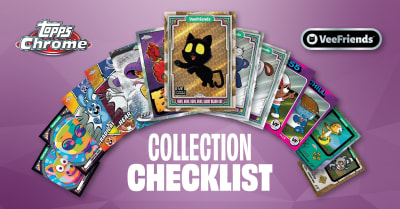
Introducing Topps VeeFriends Chrome 2025 — the first-ever Topps VeeFriends Chrome collection!

VeeFriends is returning to New York Comic Con 2025 in full force! Not only will attendees have the opportunity to purchase the following…

Be like Knowing Gnome - never miss exclusive VeeFriends updates, drops, and news! Get it all delivered straight to your phone by email and text!