






Collect the Spectacular. Introducing Super Stickers: Spectacular Series
The next chapter in the VeeFriends Super Stickers series has arrived. Released in August 2025, Super Stickers: Manga Series featured a…
BOOK GAMES is a VeeFriends layer 2 NFT project created by GaryVee. The project featured a launch of 125,000 unique and burnable tokens. What makes BOOK GAMES unique is that these tokens can be used forever and are burnable assets for other assets. Don't have a BOOK GAMES token yet? Looking to buy JAS BOOK GAMES tokens? Follow our guide, and you'll be on your way to buying BOOKGAMES on secondary marketplaces, such as Token Trove.
If you do not have an IMX wallet, please watch the below 1min tutorial on how.
To buy BOOK GAMES on the Immutable X Marketplaces, you first need to deposit Ethereum (ETH) from the Ethereum mainnet (Layer 1) to the Immutable X (Layer 2) network. Here's how to do it:
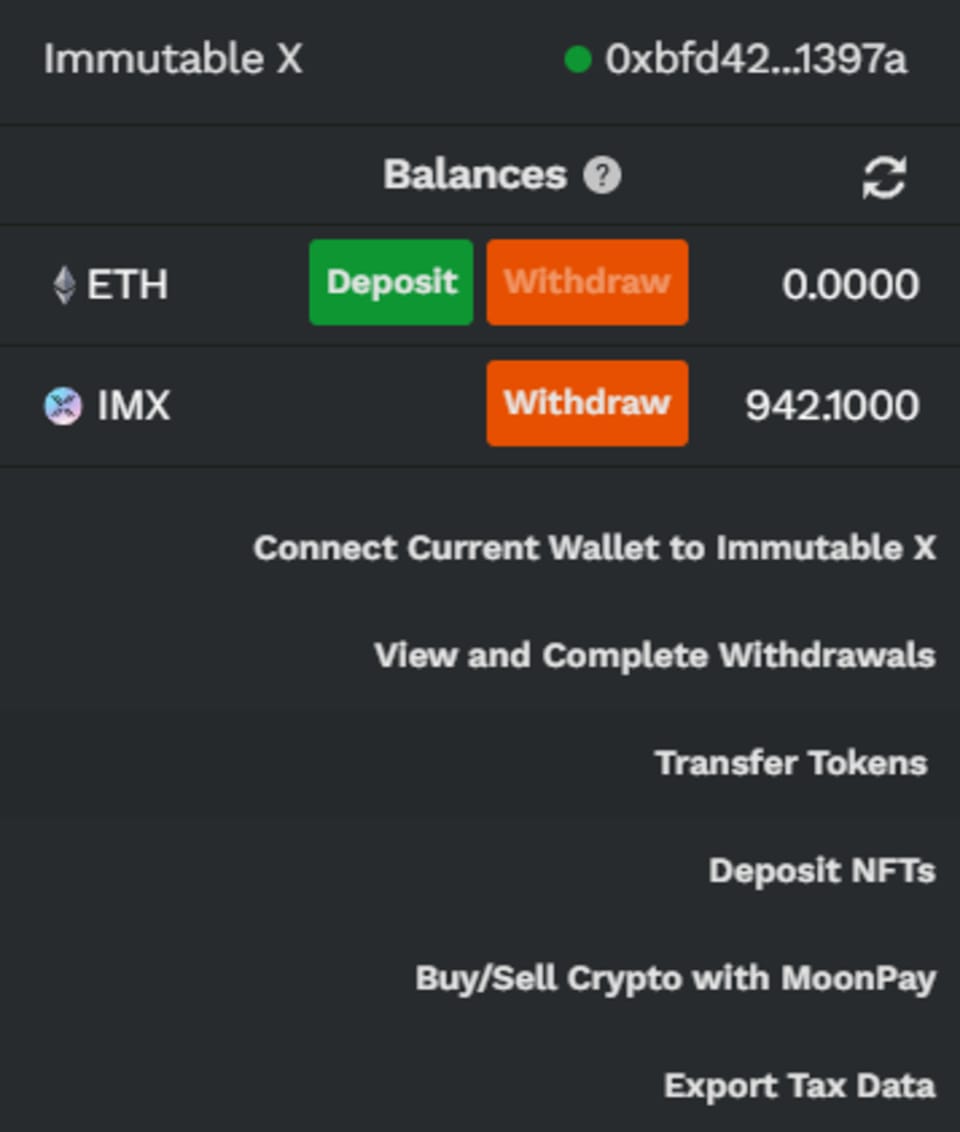
Make sure you're on the right website: https://tokentrove.com, and click "Connect Wallet."
Select MetaMask as your wallet and confirm your wallet address.
Click "Deposit" to transfer ETH to your Immutable X wallet. (⚠️ Try sending smaller amounts to test.)
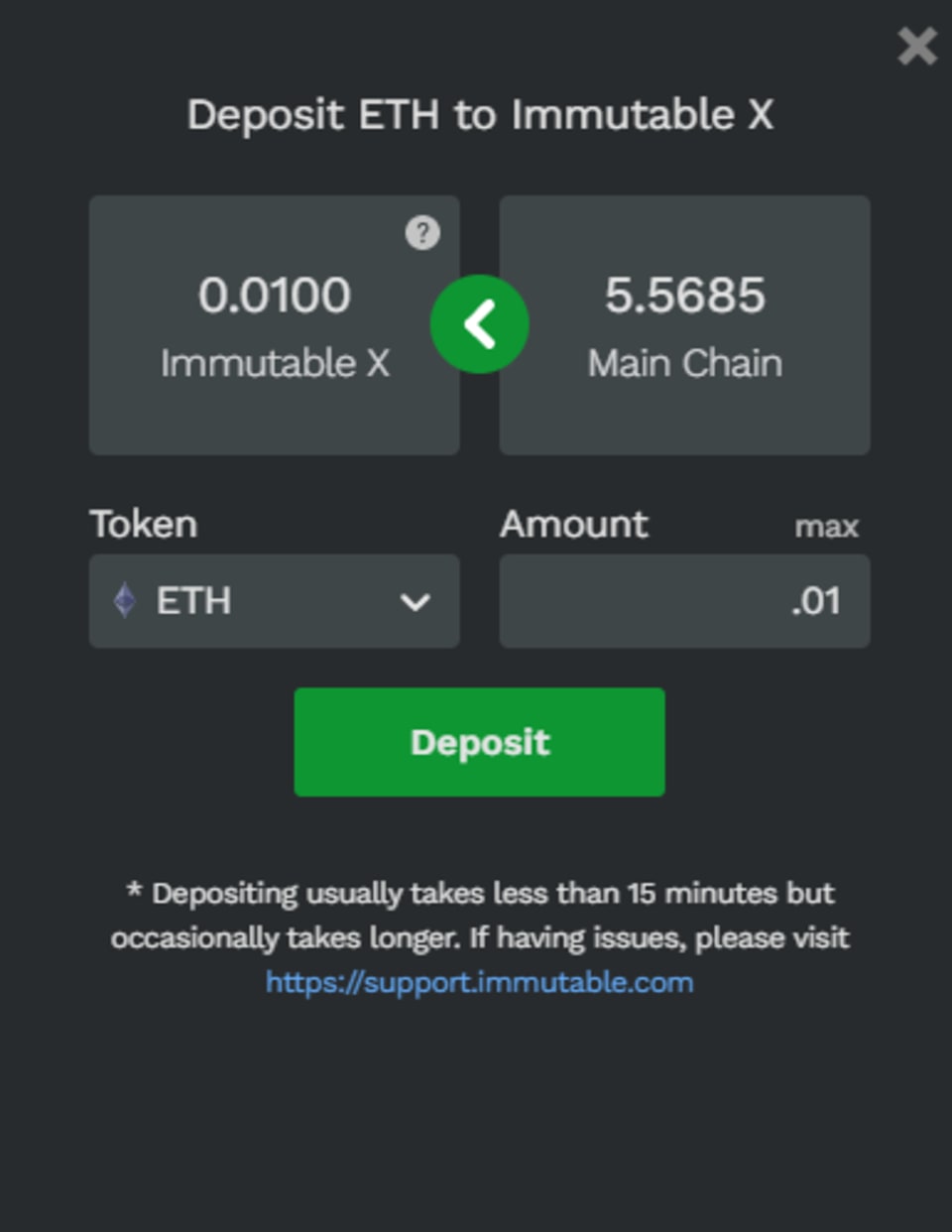
Enter the amount of ETH you would like to deposit from your Ethereum wallet up to six decimal places and select Continue. (⚠️ You can check for gas fees using the Ethereum Gas Tracker when beginning transactions.)
Sign the deposit request in MetaMask to confirm the transaction and gas fee. (⚠️ Deposits usually take less than 15 minutes but can have a lag time. While the deposit is processing, you can track its progress on Etherscan)
Note: Immutable X is not compatible with mobile, so it's best to use a desktop computer.
Once you've deposited ETH, you can buy or sell NFTs on TokenTrove:
To buy NFTs:
Choose a collection and select the NFT you want to buy.
Click on "Buy" and confirm the purchase.
Wait for the transaction to complete, then go to "My Account" to see your NFTs.
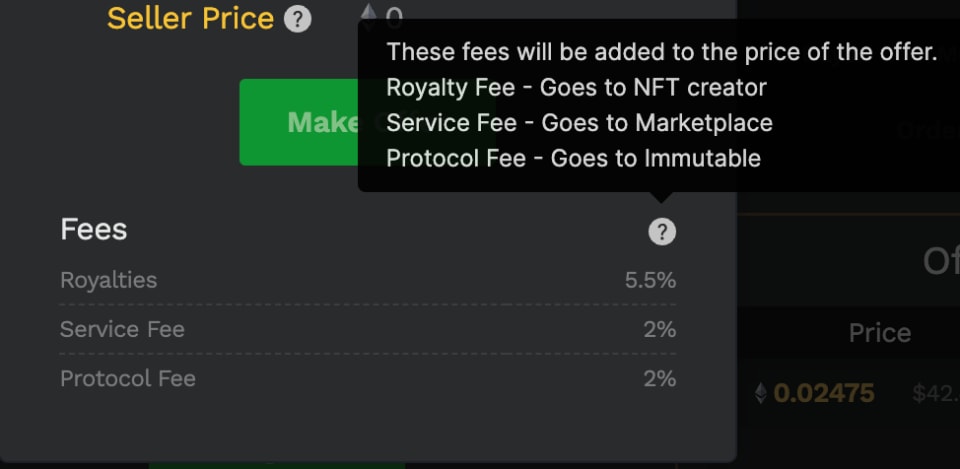
To sell NFTs:
Click on the NFT you want to sell and click on "List."
Choose the NFTs you want to list and set the price in ETH.
Confirm the listing with your Immutable X wallet and wait for the NFT to sell.
Transferring Layer 2 NFTs to Layer 1 Ethereum Mainnet
Keep in mind that once you transfer your NFT from Layer 2 to Layer 1, you won't be able to transfer it back to Layer 2, and it won't be able to participate in BOOKGAMES activations anymore.
The next chapter in the VeeFriends Super Stickers series has arrived. Released in August 2025, Super Stickers: Manga Series featured a…

A new chapter awaits for BOOK GAMES tokens. Immutable X (IMX) recently sunset its original architecture and moved to a zkEVM model. As a…
We’re excited to introduce the VeeFriends Wallet powered by Privy: a secure, onchain wallet built directly into your VeeFriends account…

Be like Knowing Gnome - never miss exclusive VeeFriends updates, drops, and news! Get it all delivered straight to your phone by email and text!