







VeeFriends Comic Book #4: Hunt For Harpik Uncovers Mysteries of the Frowning Forest
VeeFriends Comic Book #4: Hunt For Harpik has finally arrived, taking readers on an epic quest through the Frowning Forest alongside the…
As VeeCon 2024 approaches, ensuring you have the right tools is essential for a smooth ticket transaction experience. This year, VeeCon tickets are hosted on Base, a Layer-2 blockchain created by Coinbase. To interact with VeeCon 2024 tickets, whether buying or selling, you need a digital wallet compatible with Base and sufficient funds on the Base chain. The process of getting funds onto Base requires bridging.
If you notice a 0 ETH balance in your wallet, it's likely because you've switched networks to Base and haven't bridged your funds yet. Bridging is a simple process that only takes a few minutes.
Bridging involves transferring assets, such as ETH, from one blockchain network (like Ethereum's mainnet) to another separate network (like Base). It is important to note that ETH on the mainnet will not work on Base and vice versa. To use ETH on Base, you must bridge; otherwise, your tokens will be inaccessible on Base.
By following this guide, you'll learn how to bridge your assets to Base, ensuring you can efficiently buy or sell your VeeCon tickets.
Step 1: Access Superbridge
Open your web browser and go to the Superbridge website.
Connect your wallet by clicking "Connect Wallet" and choosing your wallet provider (MetaMask, Coinbase Wallet, etc.). If you don't yet have a wallet set up, see our guide on getting set up HERE
Step 2: Select the Source and Destination Networks
In the Superbridge interface, select the network where your assets are currently located as the "Source Network."
Select "Base" as the "Destination Network."
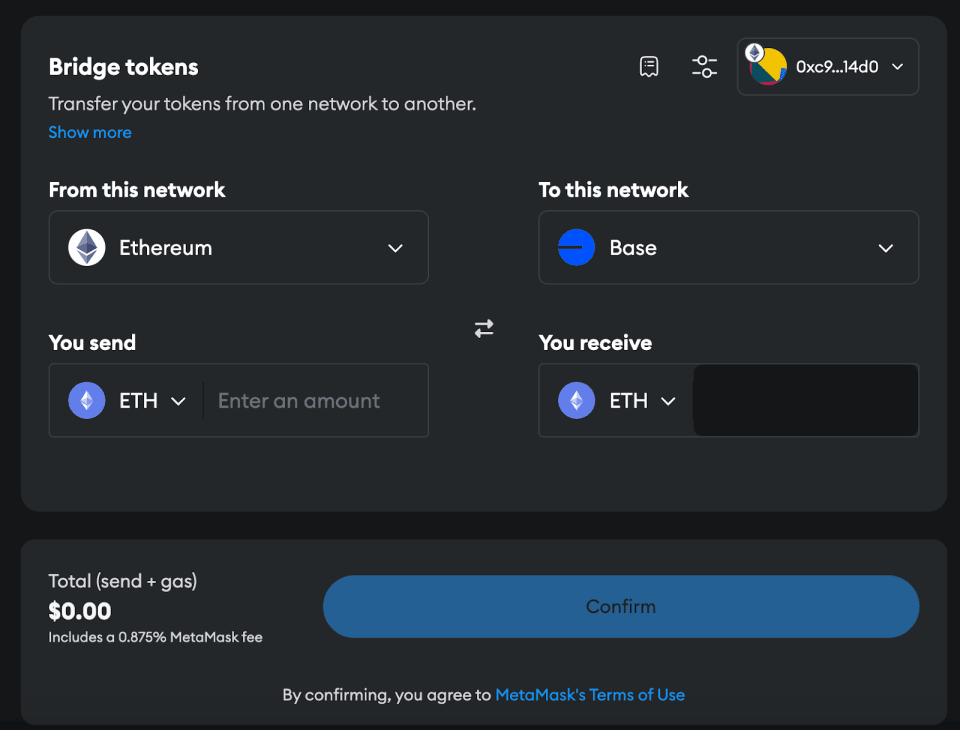
Step 3: Choose the Asset to Bridge
From the list of supported assets, select the asset you wish to bridge. For buying or selling VeeCon tickets you will need to bridge Ether.
Enter the amount you want to bridge.
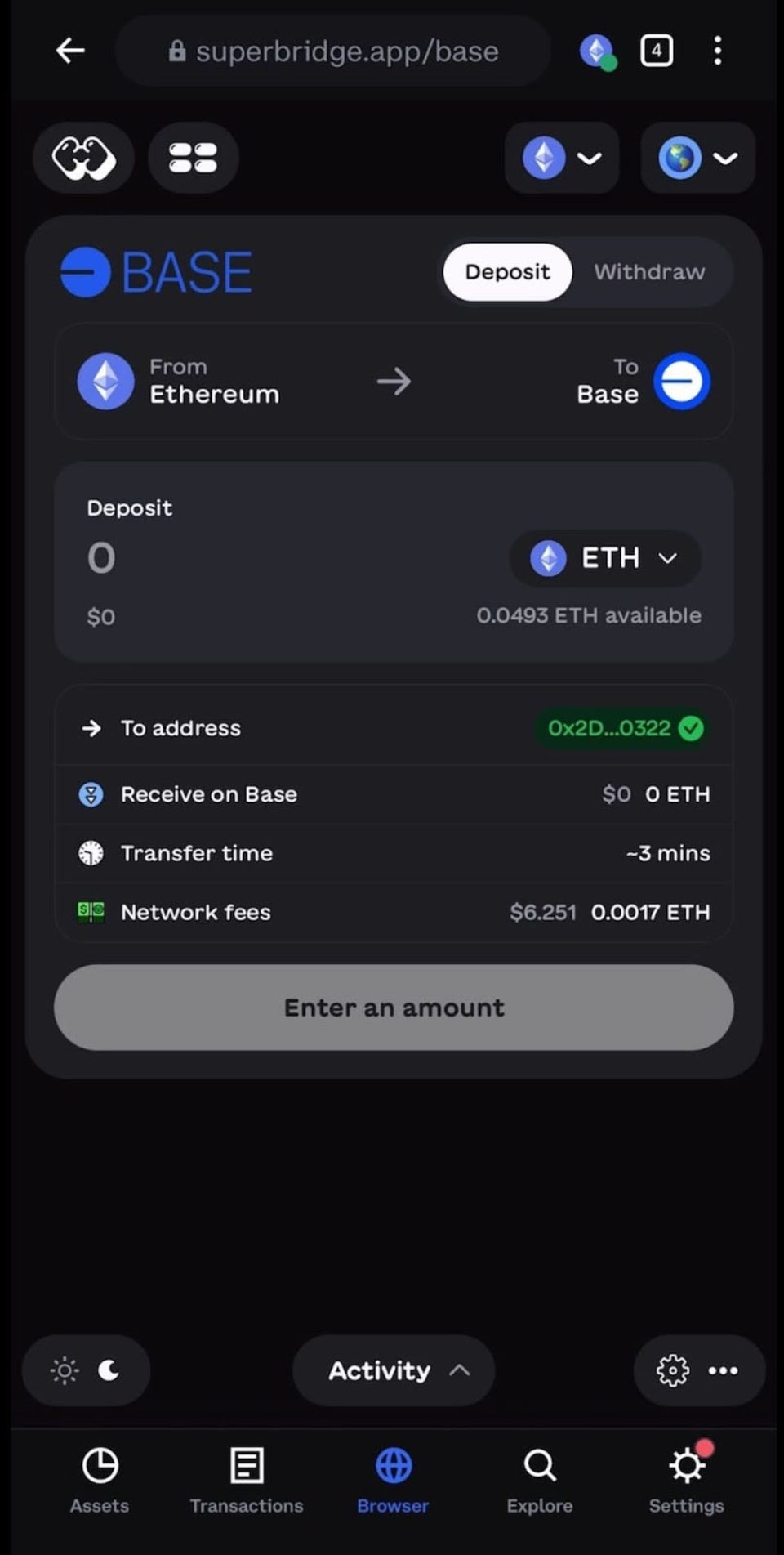
Step 4: Initiate the Bridging Process
Click "Transfer" or "Bridge" to start the process.
A confirmation window will appear showing the details of the transaction, including the amount and destination network.
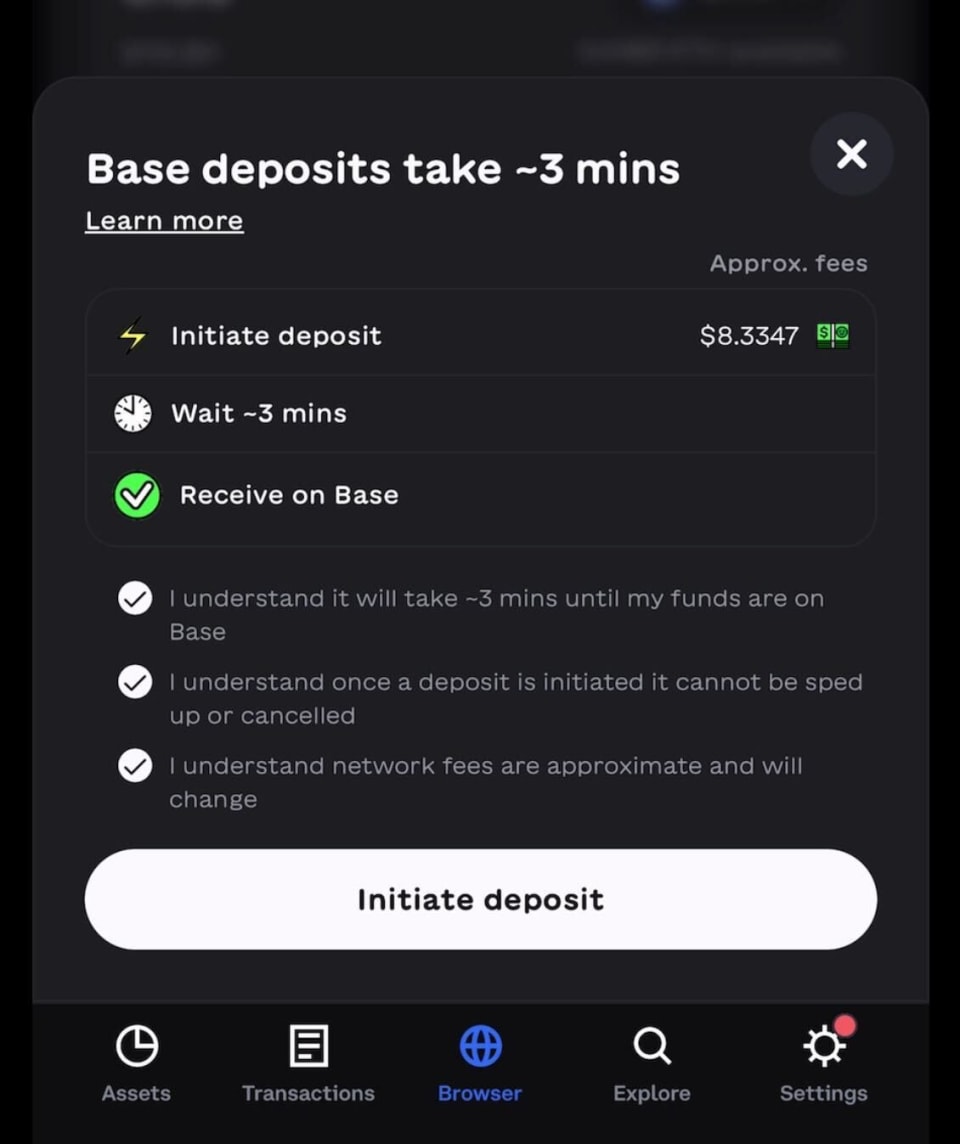
Step 5: Confirm the Transaction in Your Wallet
Your wallet will prompt you to confirm the transaction.
Review the transaction details and associated gas fees.
Approve the transaction.
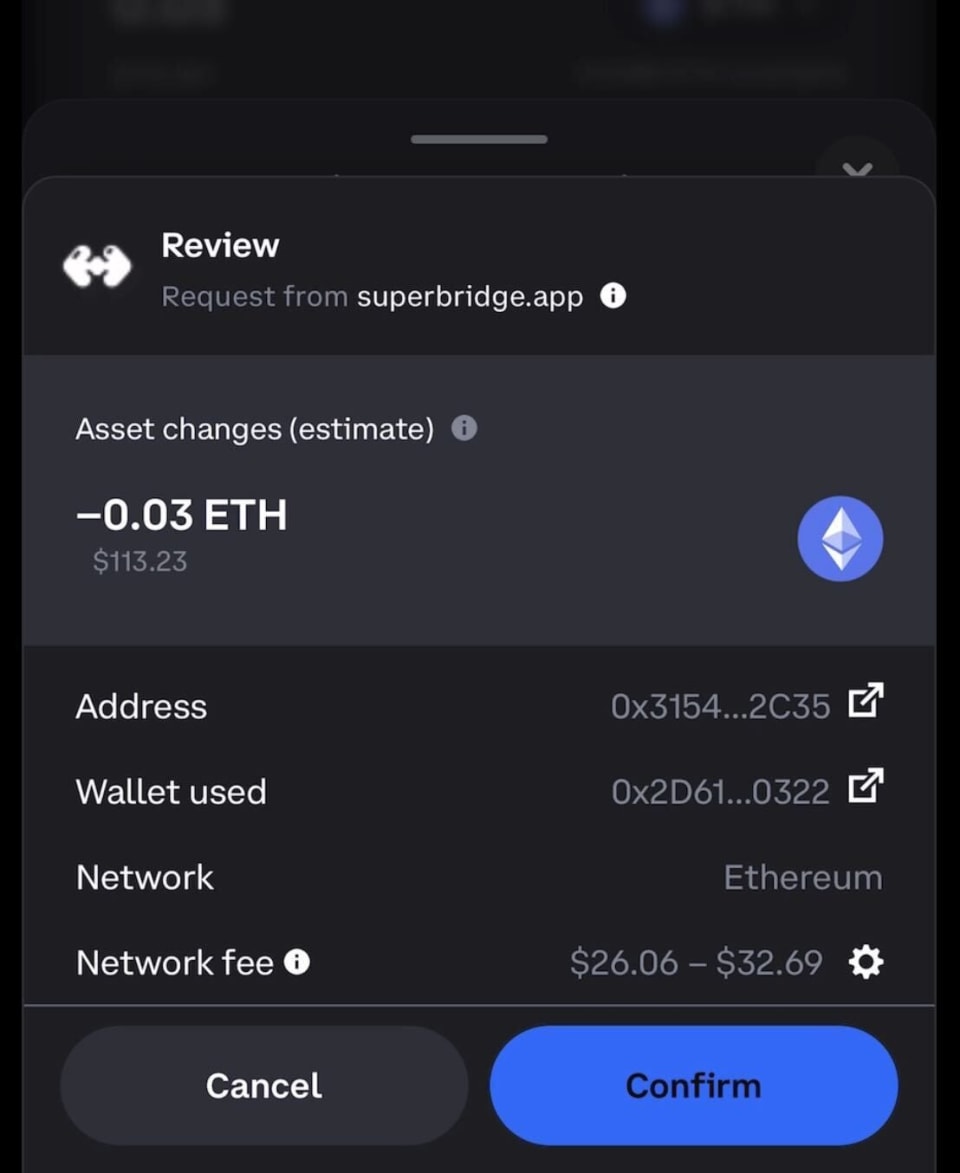
Step 6: Wait for the Transaction to Complete
The bridging process may take a few minutes.
You can view the transaction in the activity tab of your wallet.

Step 7: Verify the Assets Arrived on Base
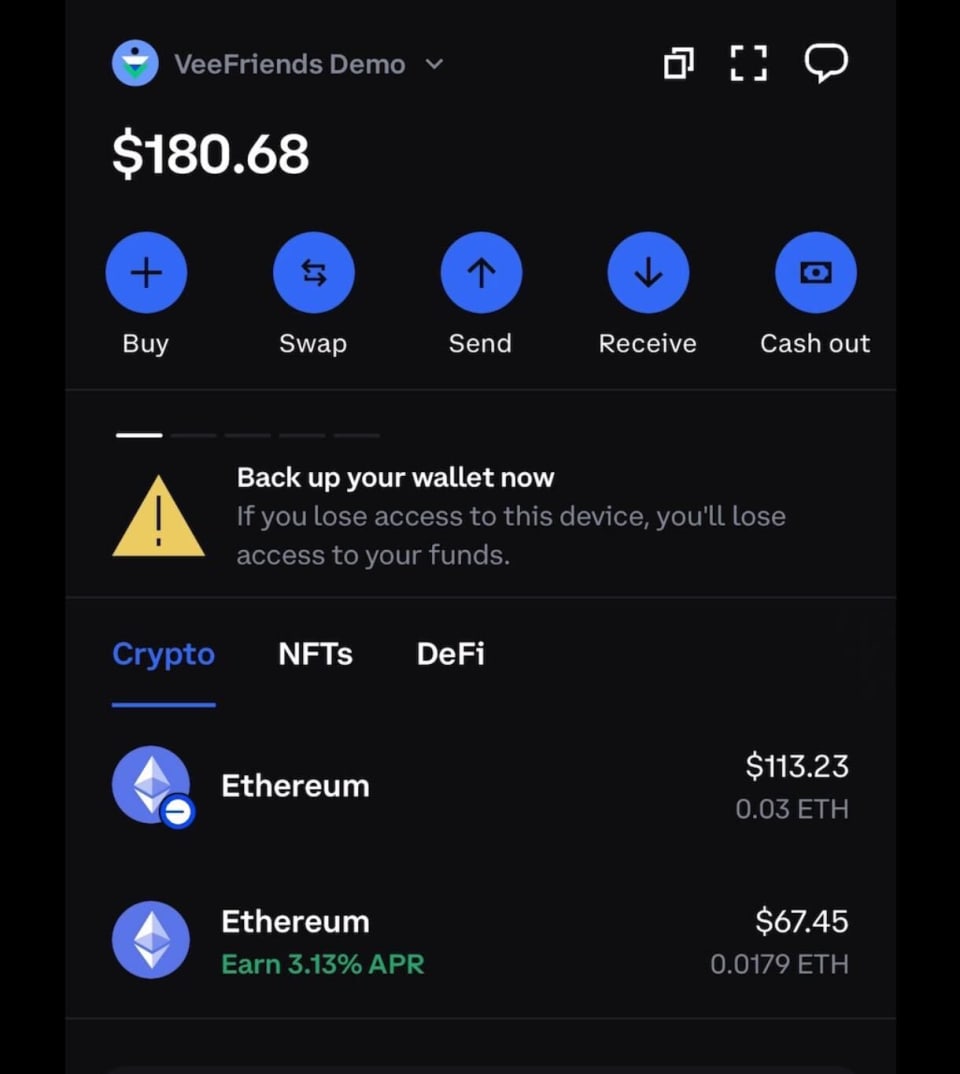
For more information on how to buy, sell, or list your VeeCon 2024 ticket, check out our complete guide and list of resources.
VeeCon 2024 Complete Ticket Guide
Have more questions? Set up time with our VeeConcierge - VeeCon.co/ticketsupport
Get your ticket NOW - VeeCon.Co/Tickets
VeeFriends Comic Book #4: Hunt For Harpik has finally arrived, taking readers on an epic quest through the Frowning Forest alongside the…

Introducing Topps VeeFriends Chrome 2025 — the first-ever Topps VeeFriends Chrome collection!

VeeFriends is returning to New York Comic Con 2025 in full force! Not only will attendees have the opportunity to purchase the following…

Be like Knowing Gnome - never miss exclusive VeeFriends updates, drops, and news! Get it all delivered straight to your phone by email and text!