







Collect the Spectacular. Introducing Super Stickers: Spectacular Series
The next chapter in the VeeFriends Super Stickers series has arrived. Released in August 2025, Super Stickers: Manga Series featured a…
With the launch of the new VeeFriends Wallet powered by Privy, collecting has never been easier. No extensions, no seed phrases, just sign in with your email and start. Since your wallet can be accessed through your email sign-in (via Privy) on VeeFriends.com, securing your email is more important than ever.
Here's what you need to know, and the steps you should take to keep your digital collectibles safe.
Your VeeFriends Wallet is directly tied to the email you use to log in. If someone gains access to your email, they can access any tokens or NFTs held in your wallet. Protecting your email with the right security measures helps prevent unwanted access down the line.
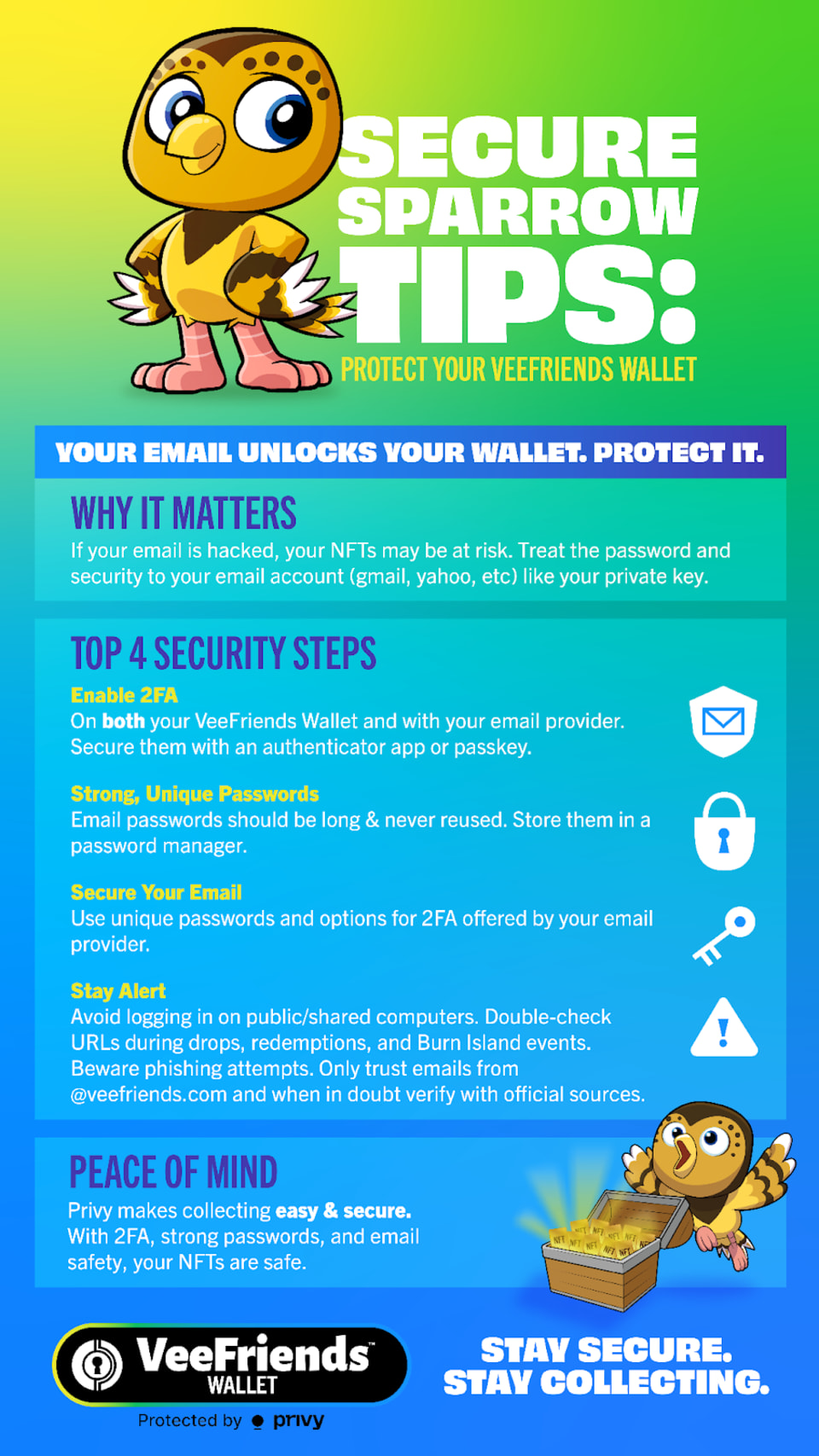
There's no longer a password or 2FA tied to your VeeFriends account itself. Instead, security is managed through:
One-time passwords (OTPs) sent to your email when you log in.
The native 2FA already tied to your Gmail or Apple account, if you use those sign-in methods.
The 2FA option you'll see inside your VeeFriends Wallet is specifically for approving Privy transactions, not for logging into your account. We strongly recommend enabling this additional layer of protection with a passkey or an authenticator app such as Google Authenticator or Authy. These apps are more secure than SMS-based 2FA, which can be vulnerable to SIM-swapping attacks.
Your email is now your access key, protect it like you would your wallet:
Ensure 2FA is enabled on your email account.
Regularly check recent login activity.
Avoid clicking on suspicious links.
Verify that emails claiming to be from VeeFriends come from official addresses such as no-reply@veefriends.com or support@veefriends.com.
Avoid logging in on shared or public computers.
During drops, redemptions, or Burn Island events, stay alert for phishing scams and fake websites. VeeFriends will never ask for your email's password or 2FA code.
Just like you might use hardware devices such as Ledger or Trezor for traditional crypto wallets, you can use a Yubikey to add a hardware confirmation to your 2FA setup. Important: Only buy hardware devices directly from the manufacturer to ensure your device hasn't been tampered with.
Privy combines the ease of Web2 logins with true Web3 ownership. You keep full control of your assets without the need for complicated setups. By securing your email, enabling transaction 2FA in Privy, and practicing strong email hygiene, Privy is as safe as any modern digital wallet.
Enable 2FA on your email account (Gmail, Apple, or whichever provider you use).
Set up transaction 2FA in Privy with an authenticator app.
Review your email security settings and check for suspicious login alerts.
Taking these steps now gives your VeeFriends Wallet powered by Privy layers of protection, so you can enjoy upcoming activations and drops with peace of mind.
Need help? Our team at support@veefriends.com is just an email away and ready to answer any questions you may have about wallets or your VeeFriends account.
The next chapter in the VeeFriends Super Stickers series has arrived. Released in August 2025, Super Stickers: Manga Series featured a…

A new chapter awaits for BOOK GAMES tokens. Immutable X (IMX) recently sunset its original architecture and moved to a zkEVM model. As a…
We’re excited to introduce the VeeFriends Wallet powered by Privy: a secure, onchain wallet built directly into your VeeFriends account…

Be like Knowing Gnome - never miss exclusive VeeFriends updates, drops, and news! Get it all delivered straight to your phone by email and text!