







Collect the Spectacular. Introducing Super Stickers: Spectacular Series
The next chapter in the VeeFriends Super Stickers series has arrived. Released in August 2025, Super Stickers: Manga Series featured a…
How to Get Access to VeeCon 2022
With VeeCon just 9 days away, here is the "all you need to know" blog to help you best prepare for your trip to VeeCon 2022 hosted at U.S. Bank Stadium, in Minneapolis, MN. We will break down everything you need to know on how to use the official VeeCon App and turn your VeeCon NFT(s) into a ticket to gain entry into VeeCon! The official VeeCon app is now available to download in the App Store and Google Play Store. Please make sure you always have the latest version of the VeeCon App for any updates and changes that may happen leading up to VeeCon.
In order to attend VeeCon you will need 2 things.
Your VeeCon Ticket NFT is accessible on your mobile device such as Coinbase Wallet, MetaMask, and Rainbow to name a few.
The official VeeCon app (available on iOS and Android) installed on your mobile device.
NOTE: Your VeeCon Ticket NFT(s) MUST be stored in a mobile compatible wallet (otherwise known as a hot wallet) such as Coinbase Wallet, MetaMask, Rainbow, and NOT in a Cold Wallet (i.e. Ledger, Trezor, etc… Cold wallet bluetooth does not work). Please know that Coinbase is a partner of VeeCon and VeeFriends' suggested wallet to use to connect to the VeeCon App to store your VeeCon Ticket NFT.
Once you have successfully stored your VeeCon Ticket NFT in your hot wallet, and installed the official VeeCon app (available on iOS and Android), you are ready to learn the steps on how to use the VeeCon app for entry into VeeCon! The VeeCon App will be needed to gain entry into VeeCon 2022 (this includes both the Welcome Party on May 19th and U.S. Bank Stadium on May 20th-22nd).
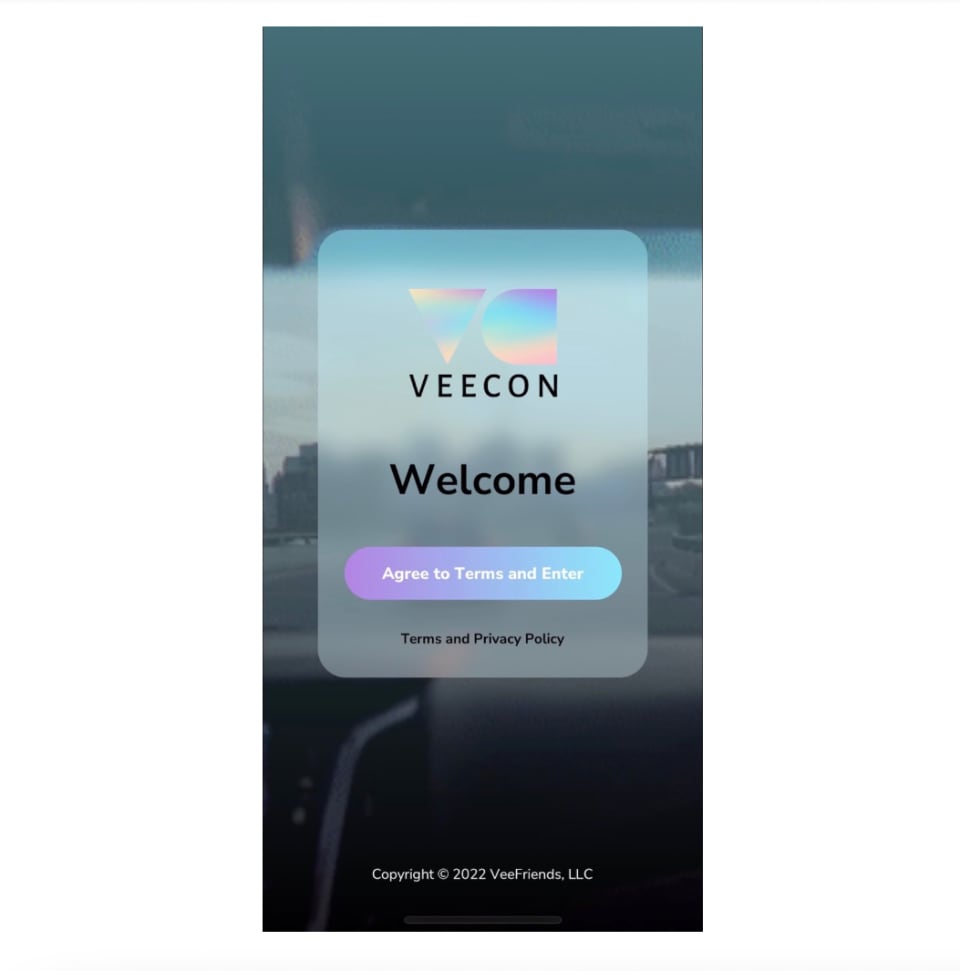
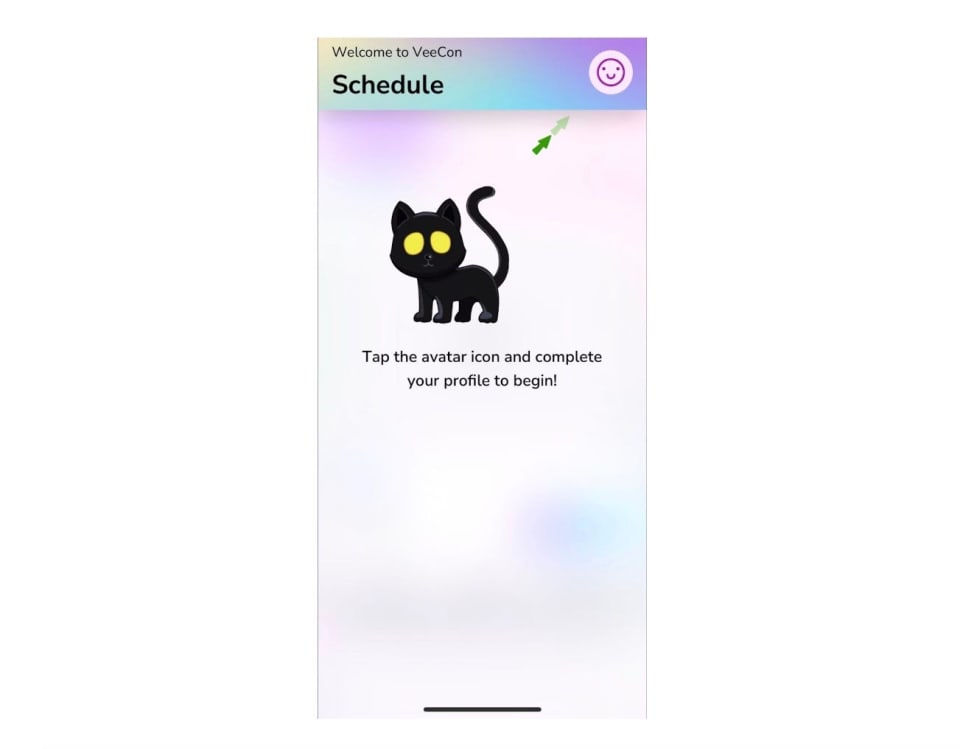
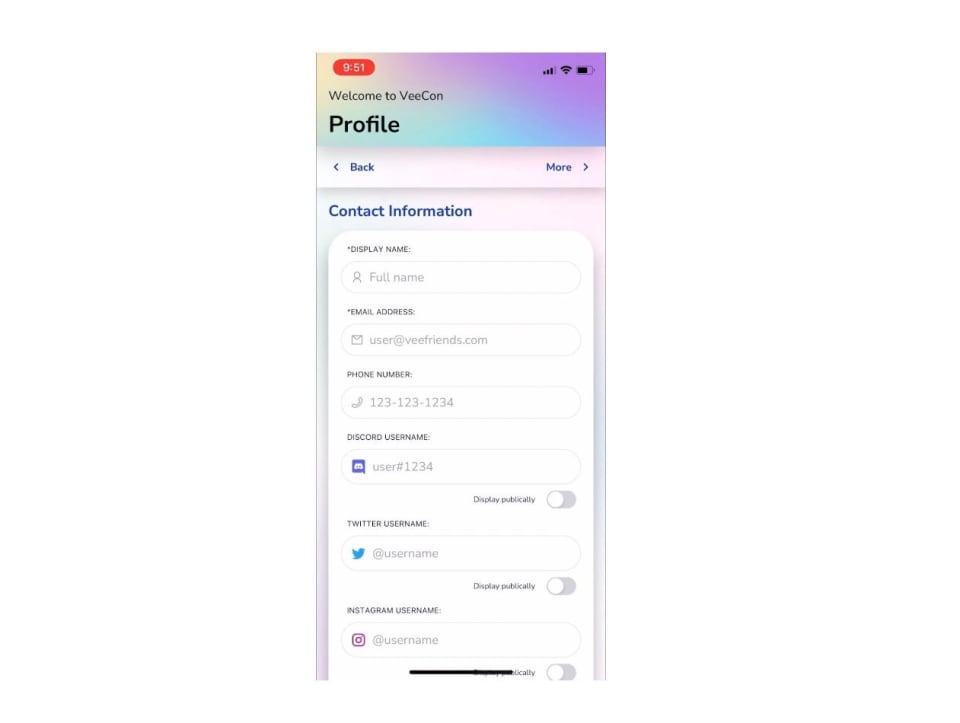
NOTE: We recommend you linking your VeeCon Tickets ASAP to avoid any technical issues while onsite at the Welcome Party or Arena at VeeCon.
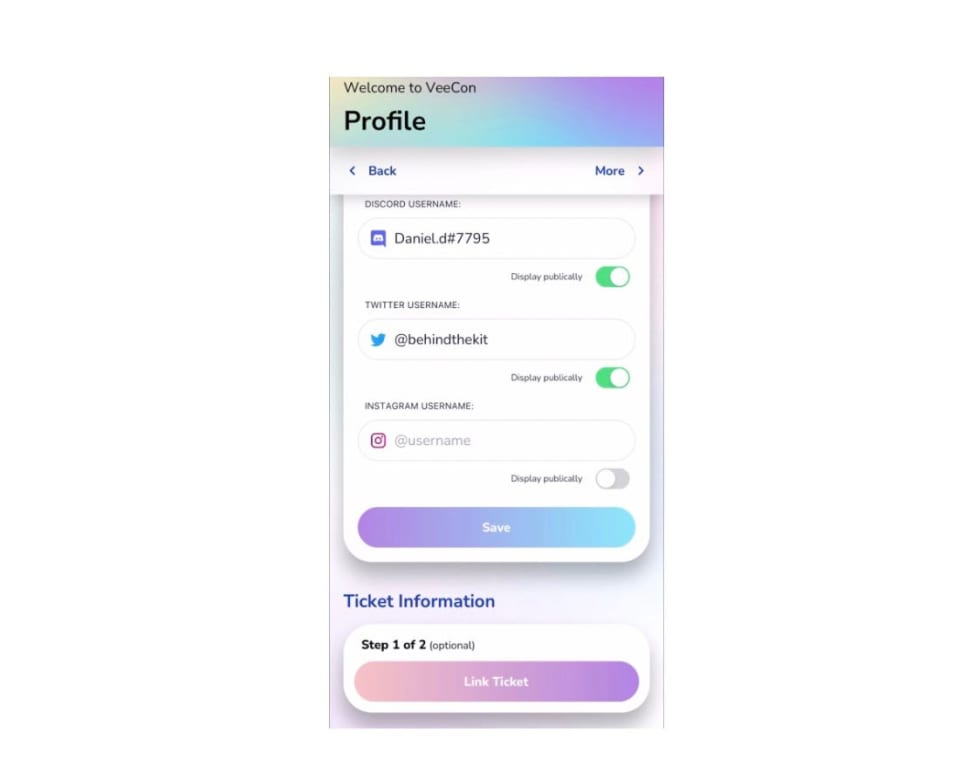
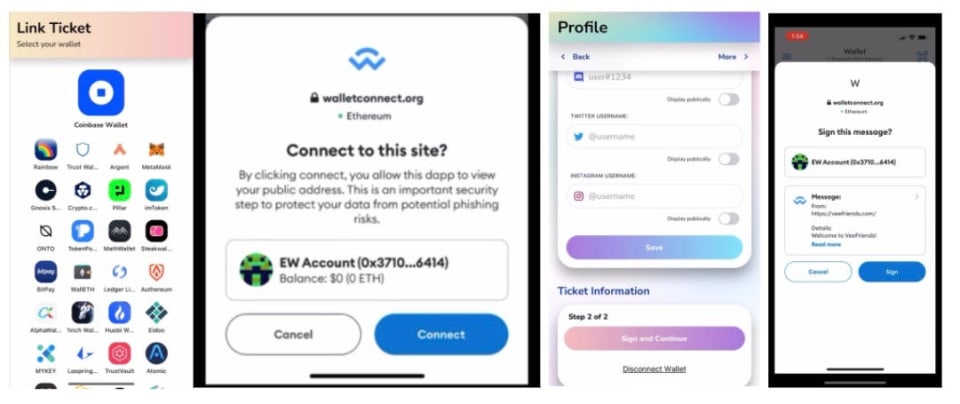
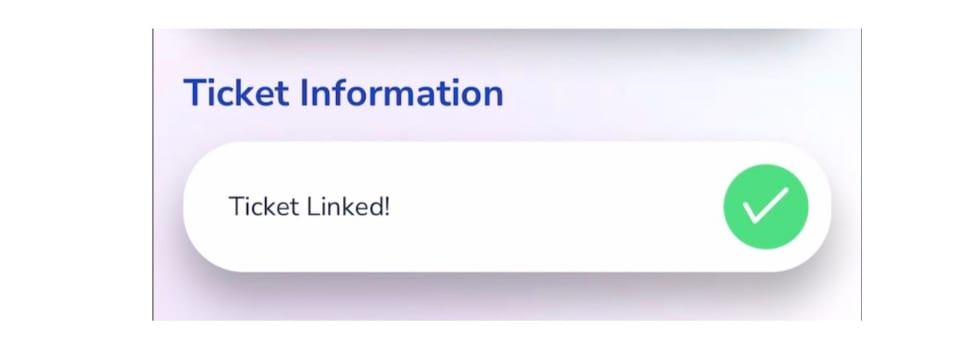
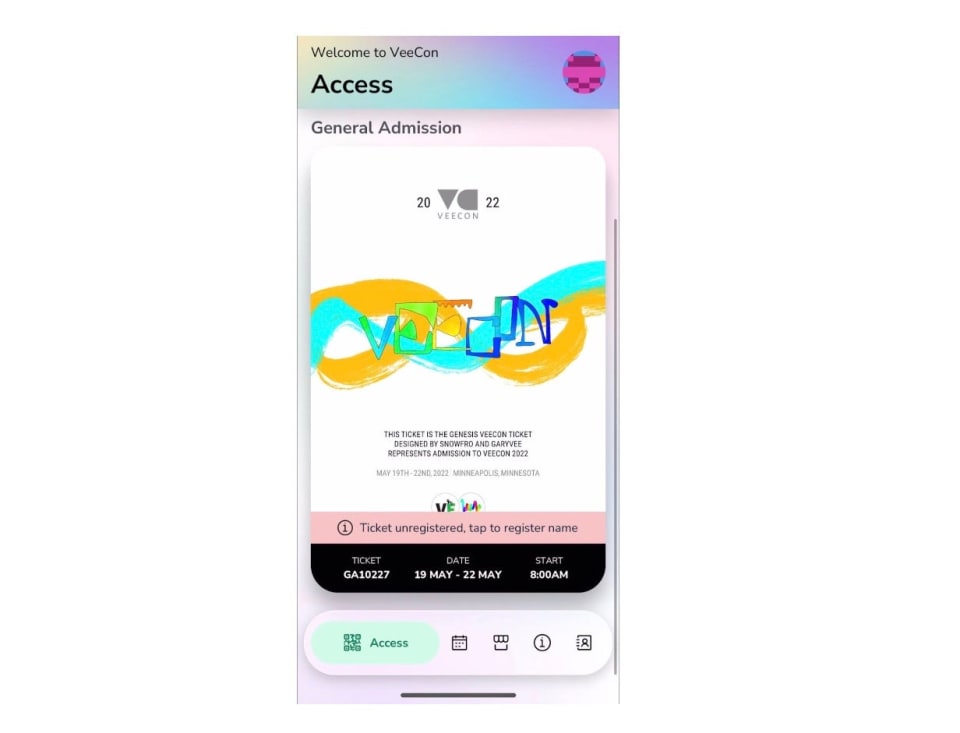
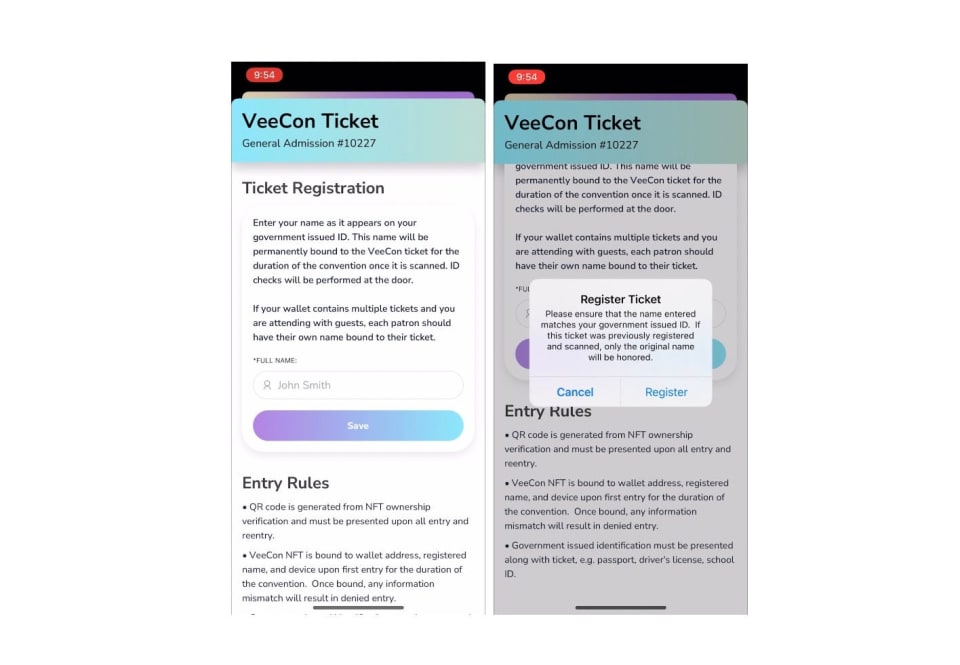
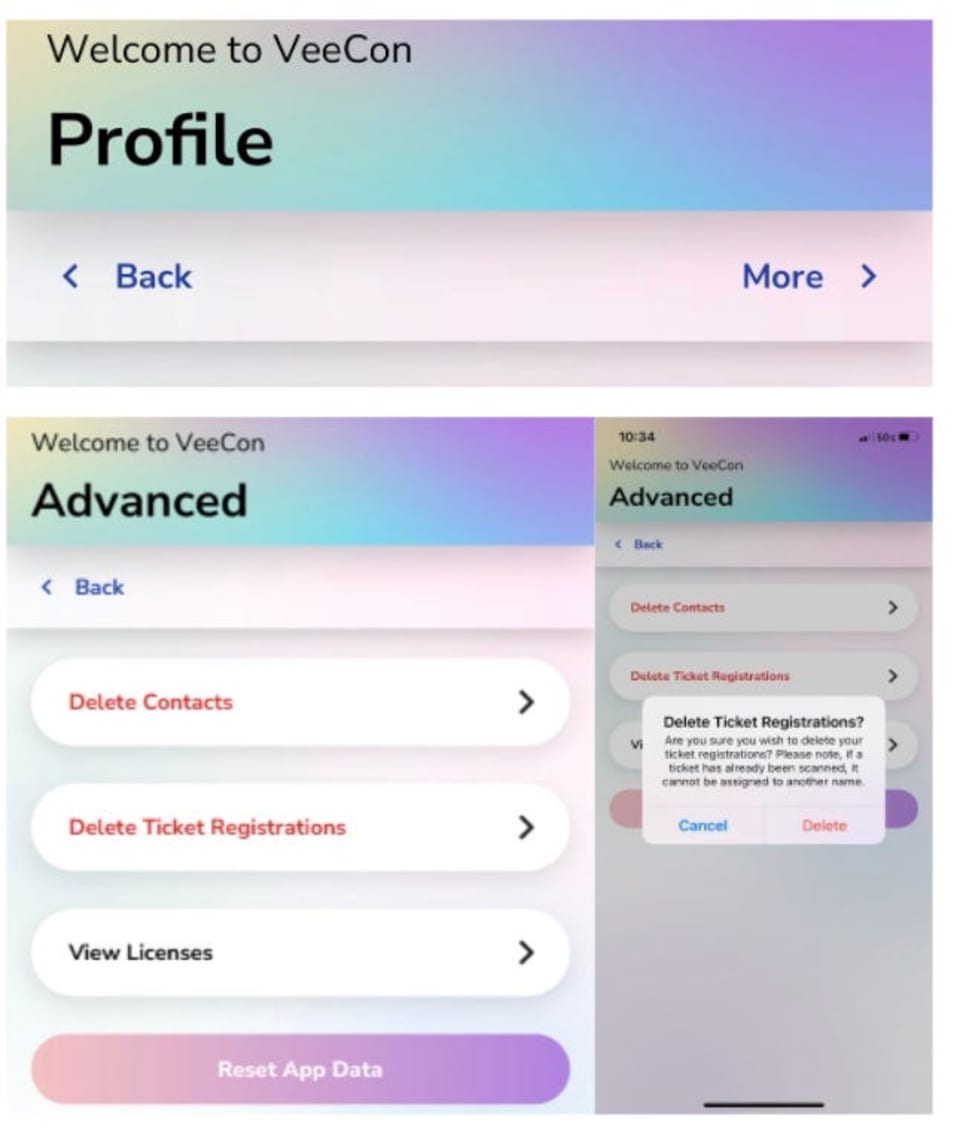
NOTE: If the legal Full Name entered does NOT match the individual's ID they will not gain access into VeeCon.
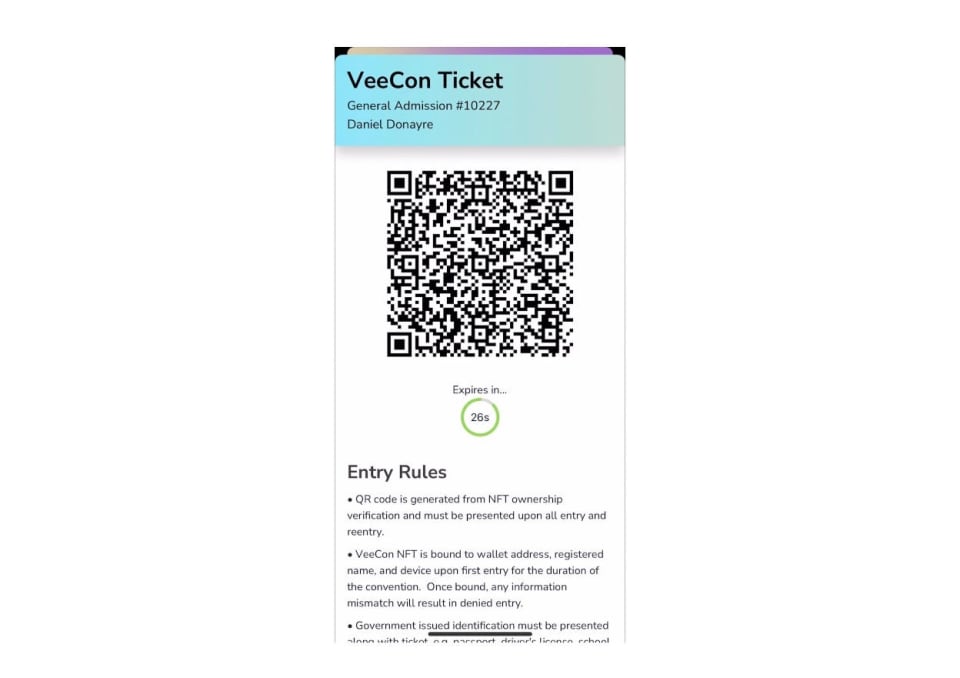
QR code is generated from NFT ownership verification and must be presented upon all entry and reentry.
VeeCon NFT is bound to the wallet address, registered name, and device upon first entry for the duration of the convention. Once bound, any information mismatch will result in denied entry for all days of the event.
Government issued identification must be presented along with a ticket (e.g. Passport, driver's license, school ID).
For any additional questions or to report any issues with the VeeCon App please fill out the Support Form HERE. #SeeYouAtVeeCon!
We strongly recommend and encourage our community to use best practices to store their NFTs securely(i.e. hardware wallet). With mobile connectivity required for entry into VeeCon, you can store your VeeCon Ticket NFT(s) in a separate hot wallet for VeeCon access while keeping your other NFT(s) stored away.
When clicking "MetaMask" from within the VeeCon app, a user's mobile device may open the Apple App Store instead of opening the MetaMask app directly. This prevents the VeeCon App from acquiring a user signature for linking their VeeCon tickets.
Reference Material:
This bug is related to MetaMask on iOS only. This is not a VeeCon app bug.
Workaround:
Users must uninstall MetaMask and then reinstall it. Reinstalling MetaMask will require users to re-enter their Seed Phrase.
The next chapter in the VeeFriends Super Stickers series has arrived. Released in August 2025, Super Stickers: Manga Series featured a…

A new chapter awaits for BOOK GAMES tokens. Immutable X (IMX) recently sunset its original architecture and moved to a zkEVM model. As a…
We’re excited to introduce the VeeFriends Wallet powered by Privy: a secure, onchain wallet built directly into your VeeFriends account…

Be like Knowing Gnome - never miss exclusive VeeFriends updates, drops, and news! Get it all delivered straight to your phone by email and text!