






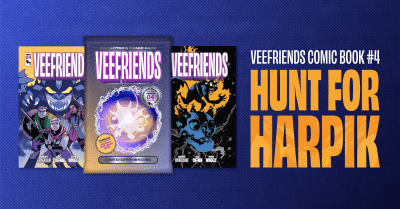
VeeFriends Comic Book #4: Hunt For Harpik Uncovers Mysteries of the Frowning Forest
VeeFriends Comic Book #4: Hunt For Harpik has finally arrived, taking readers on an epic quest through the Frowning Forest alongside the…
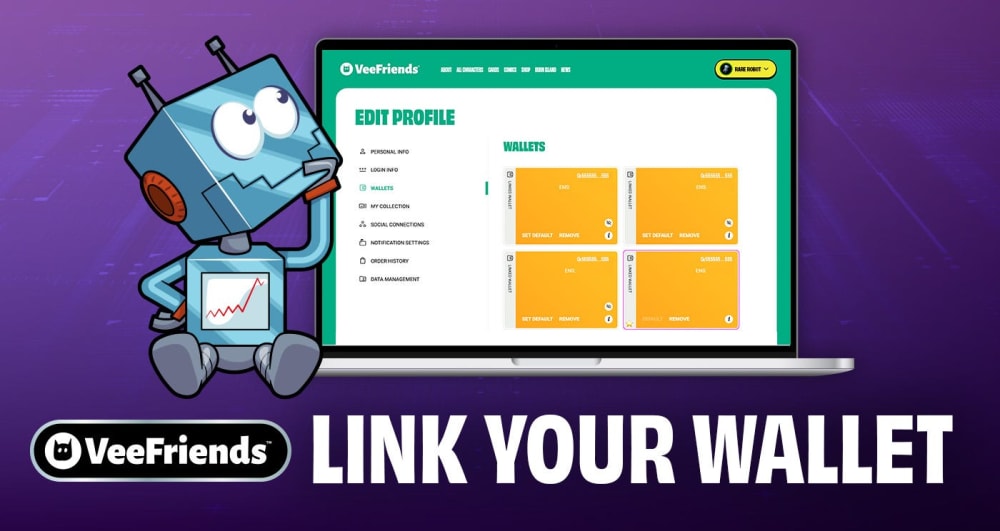
VeeFriends is always evolving and whether you're here for the art, the community, or the collectibles, now is the time to prepare. By linking your wallet to your VeeFriends profile, you ensure you're ready for the next chapter in the VeeFriends ecosystem.
From token-gated discounts to exclusive claims and future access opportunities, wallet verification is your key to unlocking the full range of benefits your digital assets may offer. It's a simple action today that opens the door to a world of experiences tomorrow.
This blog will walk you through why it matters, how it works, and the secure methods for connecting your wallets.
Linking your wallet to your VeeFriends profile ensures you can:
Claim token-based benefits: From limited-edition drops to early access opportunities, many VeeFriends experiences are token-gated and require wallet verification.
Receive discounts or offers tied to your tokens: Some products or experiences may only be available to token holders, or offered at a special rate based on what you own.
Be eligible for surprise and delight moments: Community engagement often includes unannounced perks, gifts, and moments of recognition for holders… but only if your wallet is linked.
You can link your wallet when you first create your VeeFriends Profile or add it at any time by editing your profile settings. There are two wallet types you can link: hot wallets and cold wallets. We'll break down both below:
Hot wallets include browser-based and mobile wallets like MetaMask, Rainbow, and Coinbase Wallet. These are the most common types of wallets used for everyday interaction with Web3 applications.
Visit veefriends.com and click the "Connect Wallet" button.
Select Hot Wallet from the options presented.
You'll be prompted to sign a message in your wallet. This is a secure signature request that confirms you own the wallet. There are no gas fees involved.
Once signed, your wallet will be linked to your profile. You will not need to repeat this step for future interactions unless you remove the wallet from your account.
Hot wallet linking is fast, straightforward, and provides immediate verification.
Cold wallets such as Ledger or Trezor devices provide a high level of security by keeping your private keys offline. Recognizing the importance of cold storage for collectors and long-term holders, VeeFriends offers a way to verify cold wallets without ever needing to connect them directly to the website.
This method uses a secure, one-time Trial Deposit system.
Go to veefriends.com and click the "Connect Wallet" button.
Select Cold Wallet from the available options.
The site will display a unique ETH amount - a small, randomized value less than $0.001 USD (excluding gas).
You must send that exact amount of ETH from your cold wallet to the verification address: veefriends-verify.eth
Once received, your cold wallet is successfully linked — and will appear in your VeeFriends Profile under your linked wallets.
This method gives you the security of cold storage while still verifying ownership of your NFTs on-chain.
Important: Always copy the exact ETH amount and wallet address directly from the website. Even the smallest deviation can result in verification failure.
Once your wallet is linked, you can manage it easily through your VeeFriends Profile. Navigate to the Wallets section under Edit Profile to:
Add or remove hot and cold wallets
Update your primary wallet for token tracking
Keep your account aligned with your on-chain assets
There's no limit to how many wallets you can associate and you can change them at any time.
Head to veefriends.com, sign in or create your profile, and link your wallet today.
VeeFriends Comic Book #4: Hunt For Harpik has finally arrived, taking readers on an epic quest through the Frowning Forest alongside the…
VeeFriends is returning to New York Comic Con 2025 in full force! Not only will attendees have the opportunity to purchase the following…

Welcome to your gateway into the VeeFriends universe where storytelling, collectibles, content, and experiences revolve around more than…

Be like Knowing Gnome - never miss exclusive VeeFriends updates, drops, and news! Get it all delivered straight to your phone by email and text!