






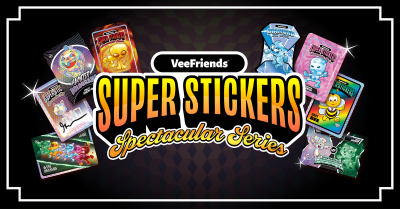
Collect the Spectacular. Introducing Super Stickers: Spectacular Series
The next chapter in the VeeFriends Super Stickers series has arrived. Released in August 2025, Super Stickers: Manga Series featured a…
The VeeFriends Wallet, which is protected by Privy, makes it easier than ever to buy, sell, and transfer your VeeFriends NFTs securely. Whether you're shopping for your first collectible or listing one for sale, your wallet connects seamlessly to Rarible and OpenSea. This gives you full control without the crypto headache.
Below is a simple step-by-step guide to buying, transferring, and selling NFTs through your VeeFriends Wallet on Rarible.com/VeeFriends.
Visit the VeeFriends Onchain Storefront at Rarible.com/VeeFriends and select the collection you'd like to browse.
Choose Your NFT: Scroll through the collection, select the token you'd like, and click Buy Now.
Sign In with VeeFriends Wallet:
Select VeeFriends Wallet when prompted.
Choose your sign in method: Google, Apple, or Email.
If using email, you'll receive a 6-digit verification code. Enter it to confirm your login.
Click "Approve" in the Privy pop-up window to connect to Rarible.
4. Complete Checkout: You can pay with:
Debit / Credit Card, Apple Pay, or Google Pay for quick checkout or Ethereum (ETH)
That's it! Once your purchase is complete, the NFT will be automatically transferred to your VeeFriends Wallet. You can click on your profile icon in the top right corner to visit your Portfolio and view it.
Click on the item you want to transfer.
Click on the paper airplane icon in the top right corner.
Paste the Ethereum address where you want to send your NFT.
Always double-check the address. NFT transfers on-chain are irreversible.
Click Continue, and "Approve" the pop up from Privy.
Your NFT will be sent to the destination address within seconds.
Onchain transactions like this require a "gas fee" paid to the network. For all VeeFriends NFTs, except for Book Games, you'll need Ethereum (ETH) on mainnet to complete the transfer.
If you've never funded your wallet with ETH before, follow these steps:
Funding Your Wallet with Privy Home:
Log into your account on VeeFriends.com.
In the top-right corner, open your profile dropdown and select Wallet.
Click Manage Wallet to open home.privy.io.
Click Add Funds to your ETH wallet beginning in "0x"
Choose how to fund:
Pay with Debit card / Apple Pay / Google Pay via Coinbase On-Ramp (no Coinbase account required).
If you have a Coinbase account, you can sign in and easily transfer from or buy with your Coinbase exchange account.
Before listing your NFTs for sale, you'll need to approve the Rarible marketplace contract and pay a small one-time gas fee. Follow the steps shown below to add ETH to your wallet before listing.
Sign in to Rarible.com/veefriends
Click on the profile icon in the top right to visit your Portfolio
Click on the item you want to list for sale.
Select List Now
Network note:
Series 1 & Series 2 NFTs → require ETH on Ethereum Mainnet
Book Games NFTs → require ETH on Base, use the Swap feature on Rarible to move ETH between networks
Set your desired price and duration for the listing.
Click Submit Listing and confirm the transactions in your wallet
Sign and Continue
Approve the listing in your wallet.
Your NFT is now live and available for collectors to discover across marketplaces!
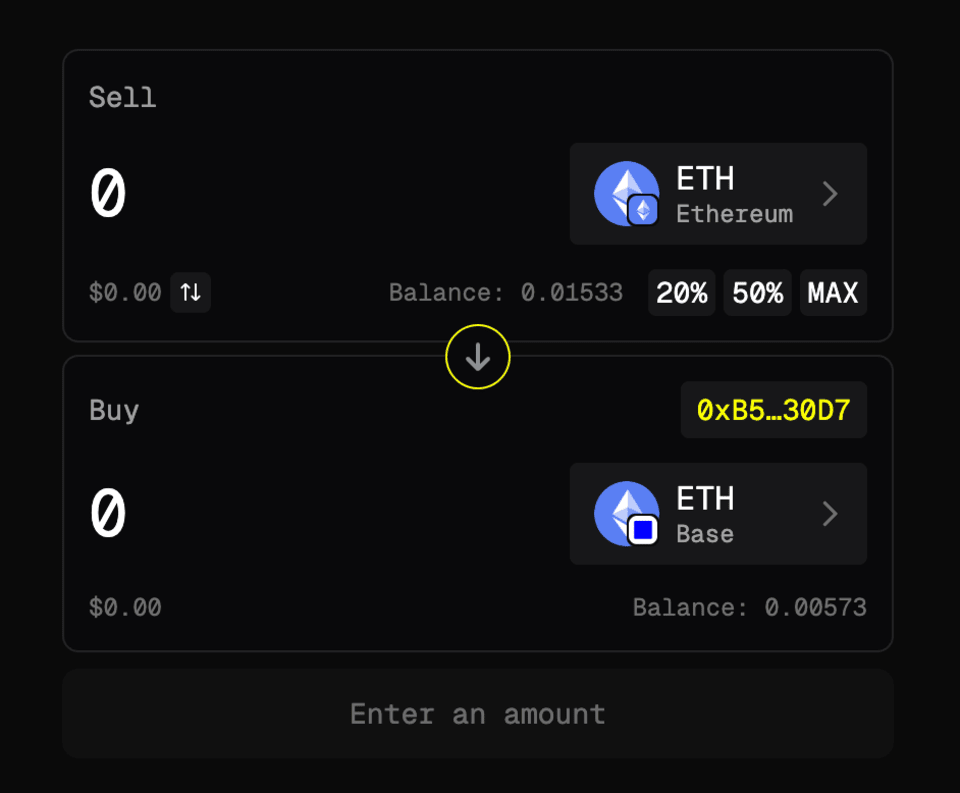
Moving ETH from Ethereum to Base is called bridging, and it's very simple. There are several trusted ways to bridge with your VeeFriends Wallet:
Click "Connect Wallet" and sign in with VeeFriends Wallet.
Set "SELL" token to ETH on Ethereum and "BUY" token to ETH on Base. You can identify the network by the icon in the bottom right hand corner.
Connect with your VeeFriends Wallet on opensea.com.
Click the Wallet icon in the top right and select "Swap".
Set "SELL" token to ETH on Ethereum and "BUY" token to ETH on Base. You can identify the network by the icon in the bottom right hand corner.
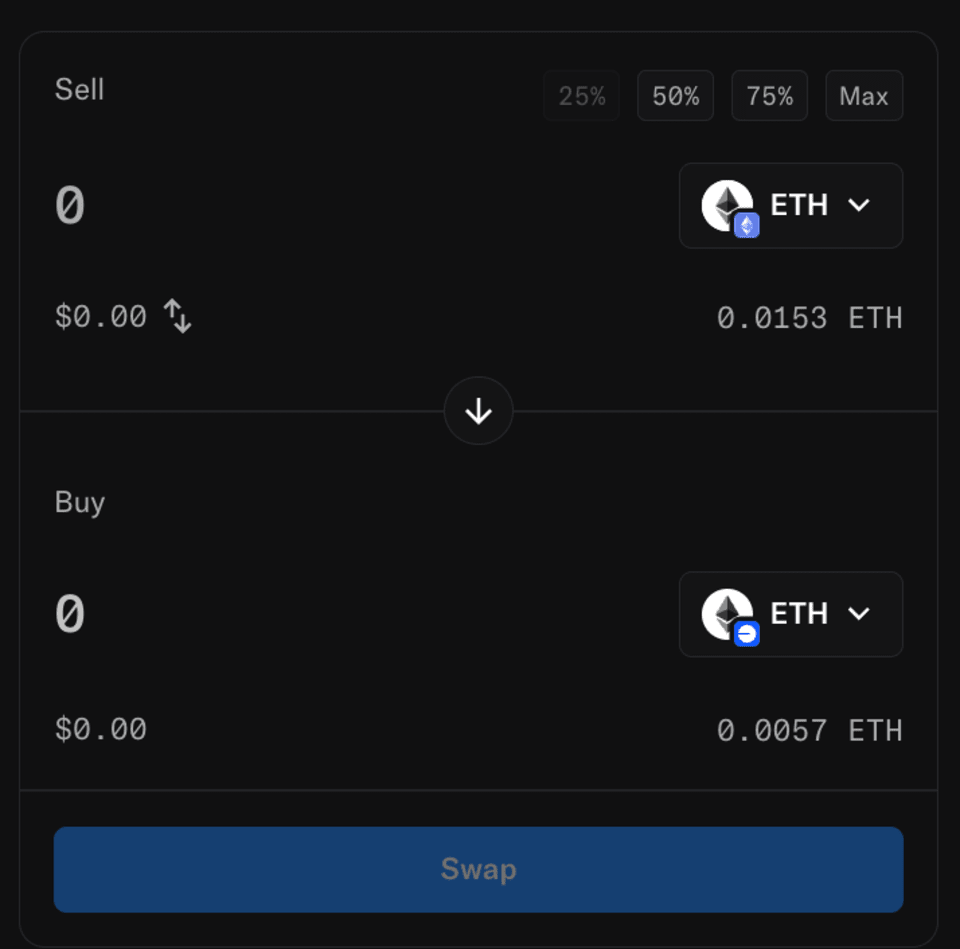
Once bridged, your ETH on Base will appear automatically in your wallet balance, ready to use for gas fees on Base. If you need to bridge from Base to Ethereum, just click the Arrow at the center of the "Swap" widget to switch destinations.
Your VeeFriends Wallet (protected by Privy) is designed for both simplicity and safety. Remember to:
Always double-check recipient wallet addresses before sending.
Never share your Privy login codes or email access.
Keep your email account protected with two-factor authentication (2FA).
If you have any questions or encounter any issues, our support team is standing by. Simply email us at support@veefriends.com. We're here to make your VeeFriends NFT experience as seamless and enjoyable as possible.
The next chapter in the VeeFriends Super Stickers series has arrived. Released in August 2025, Super Stickers: Manga Series featured a…

A new chapter awaits for BOOK GAMES tokens. Immutable X (IMX) recently sunset its original architecture and moved to a zkEVM model. As a…
We’re excited to introduce the VeeFriends Wallet powered by Privy: a secure, onchain wallet built directly into your VeeFriends account…

Be like Knowing Gnome - never miss exclusive VeeFriends updates, drops, and news! Get it all delivered straight to your phone by email and text!